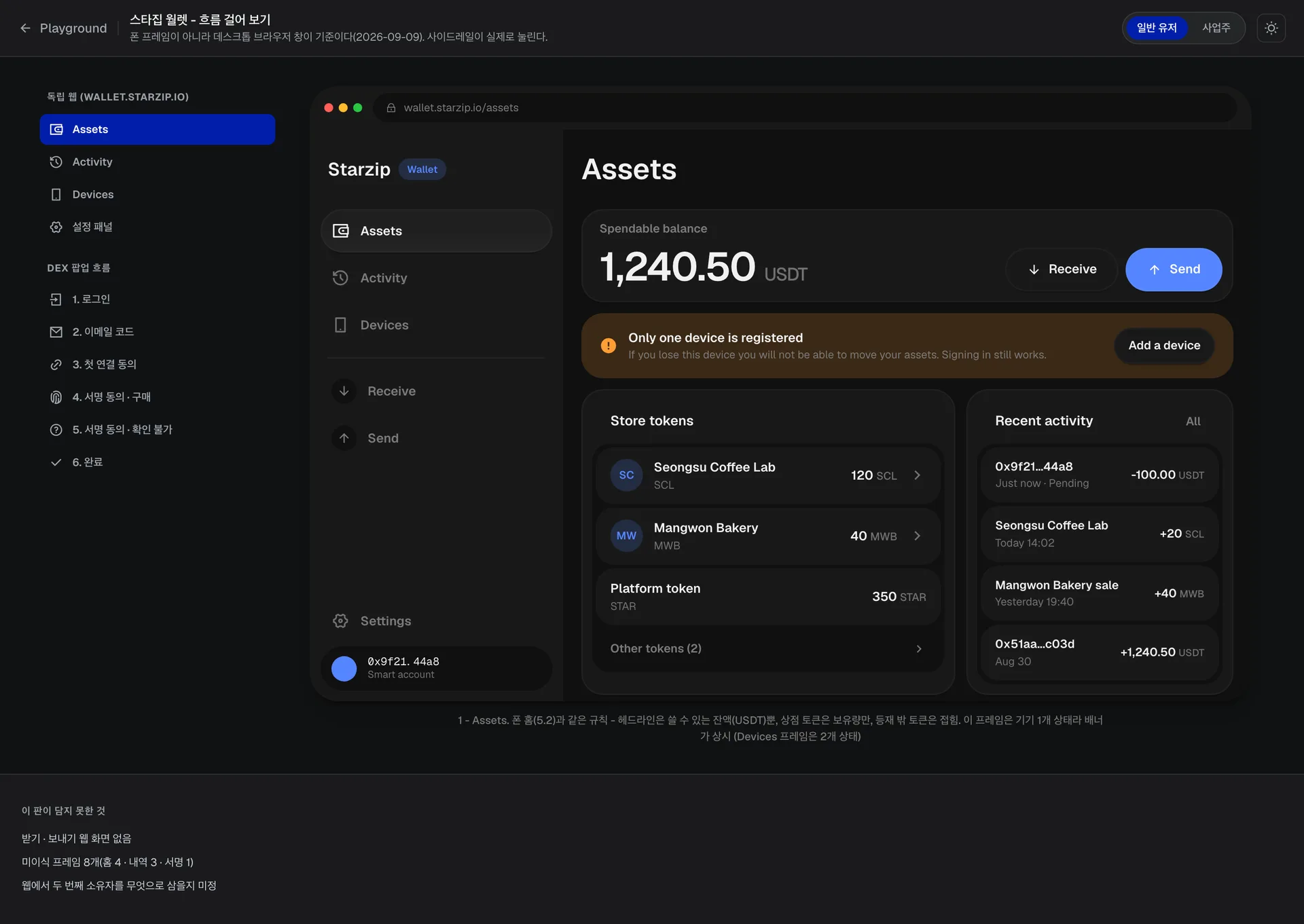
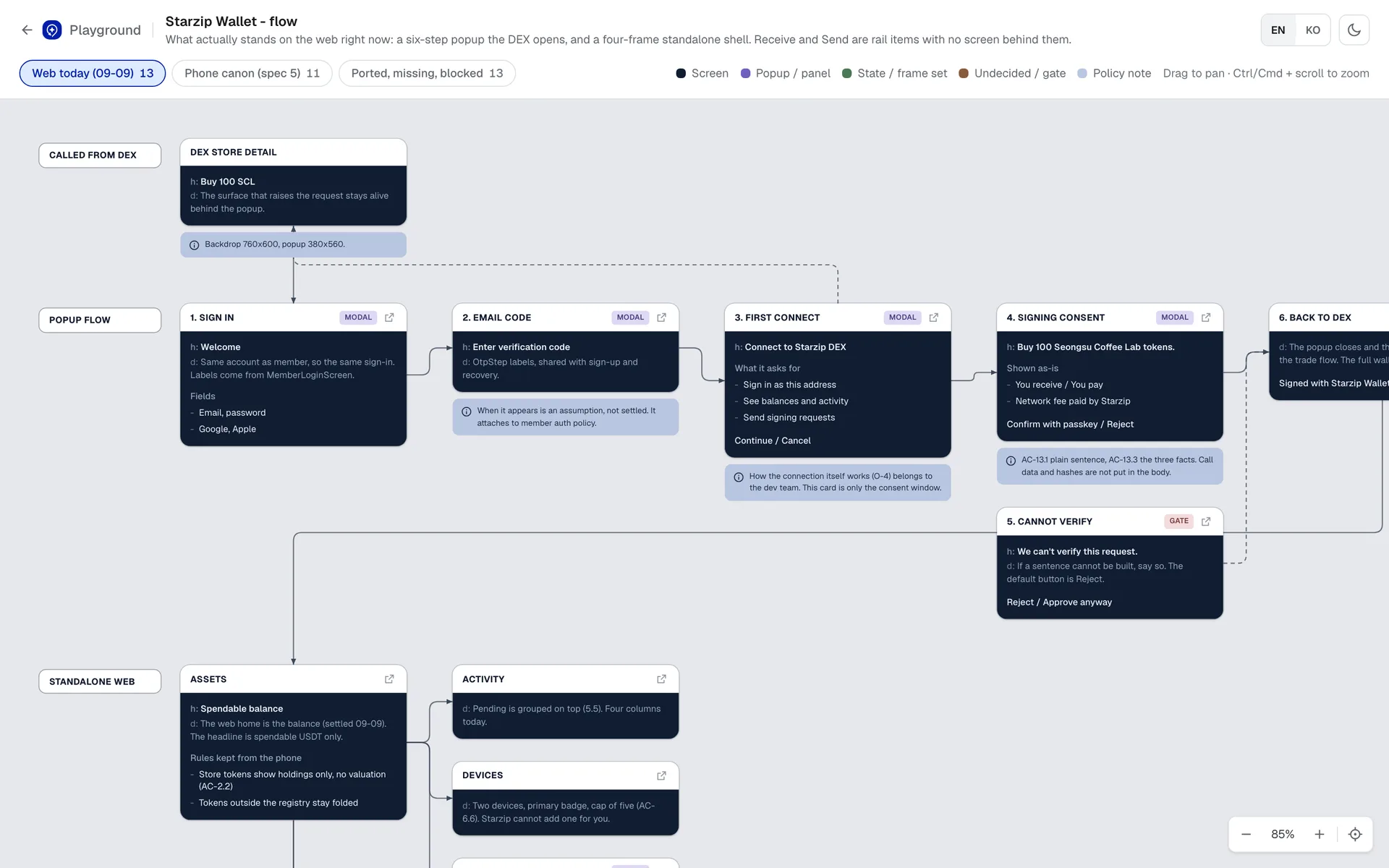
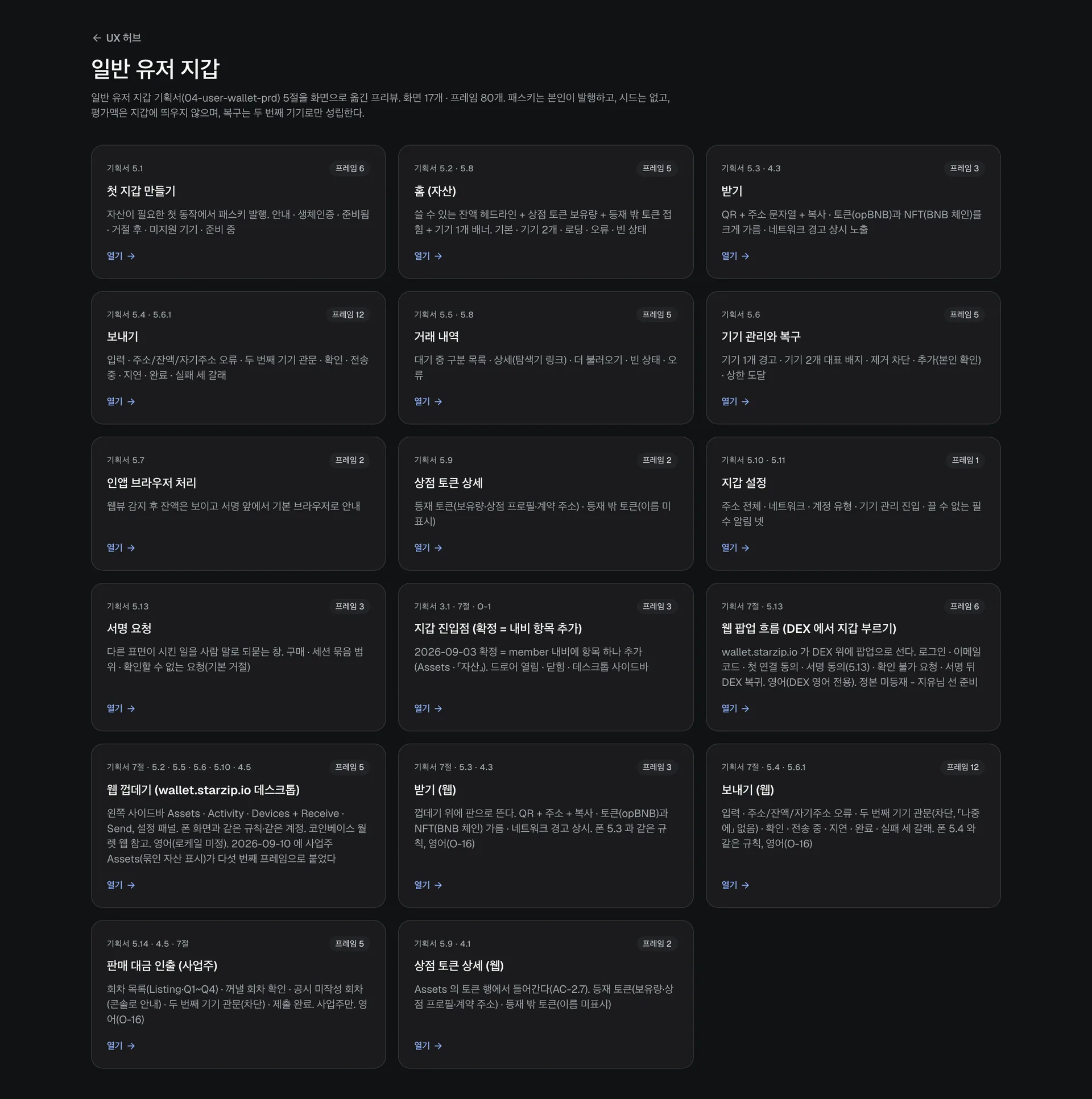
Web wallet - phone rules on a desktopThe assets screen inside a desktop browser window. One spendable balance as the headline, store tokens by amount only, unlisted ones folded. With a single device a warning banner stays up, and three things the sheet does not cover are listed below.Chrome extension review - locked to connectedThe wallet as a popup over a DEX page, laid out top to bottom: locked, home, connect request, connected, sign. With no seed, unlocking is a passkey rather than a password. The header says this is a review sheet, not canon.Wallet flow - what stands on the web todaySix popup steps opened by the DEX and the standalone web shell as connected nodes, colour-coded screen, popup, state, undecided and policy. The cannot-verify gate defaulting to reject is the point of the diagram.User wallet - the screen catalogueA catalogue mapping each spec section to a card with its screen and frame count - seventeen groups from first wallet through send, device recovery, sign requests and the web build. The header states the premise: the user issues the passkey, there is no seed.Chrome extension prototype - click-throughAn extension popup over an outside dApp that can be clicked through locked, home, connect, sign, passkey, done. Where a seed wallet asks for a password it says 'no password, no seed phrase', stating the difference in the same spot.Mobile wallet - 1:1 with FigmaThe Figma storyboard rebuilt section by section in phone frames at 1:1 - home, send, receive, QR scan. Each frame carries a note on what changed from the source, such as font substitution and trimmed decoration.Store wallet - spending tokens in the shopA five-step prototype - home, store select, amount, QR, done. Assets are grouped as cash, platform, store tokens and gas, and an over-limit amount is blocked by a red line under the number rather than a toast.